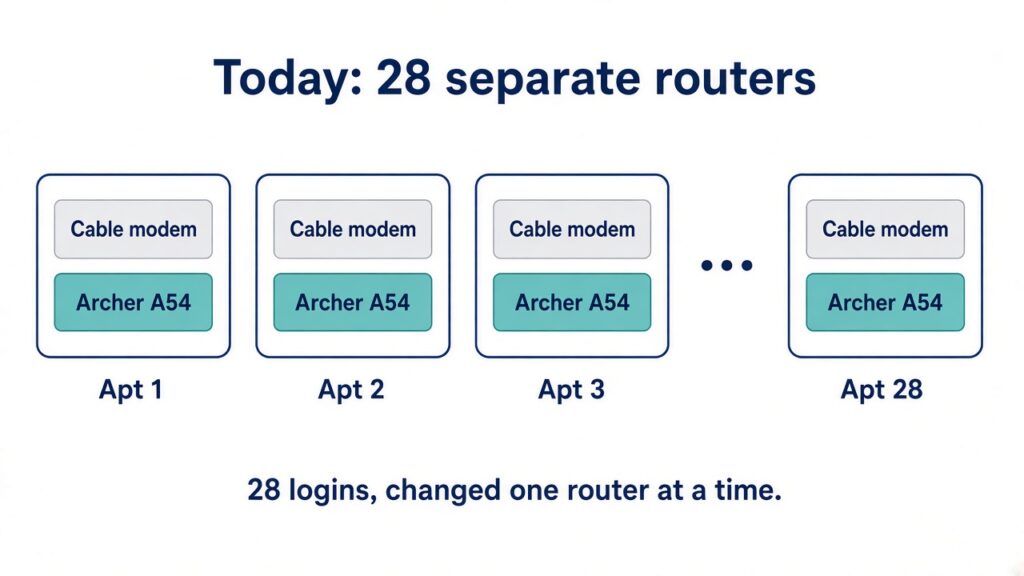
Each apartment in this building already has its own cable modem and its own internet account. The Wi-Fi today is a TP-Link Archer A54 in every unit. That works for one apartment. Across 28 units it turns into 28 web pages, 28 passwords, and 28 places a setting can drift. Change the guest network, update firmware, or check why one unit is down, and someone walks the building or signs in one router at a time. There is no shared view. The A54 is a consumer router, and TP-Link’s Tether app does not turn a pile of them into one managed network.
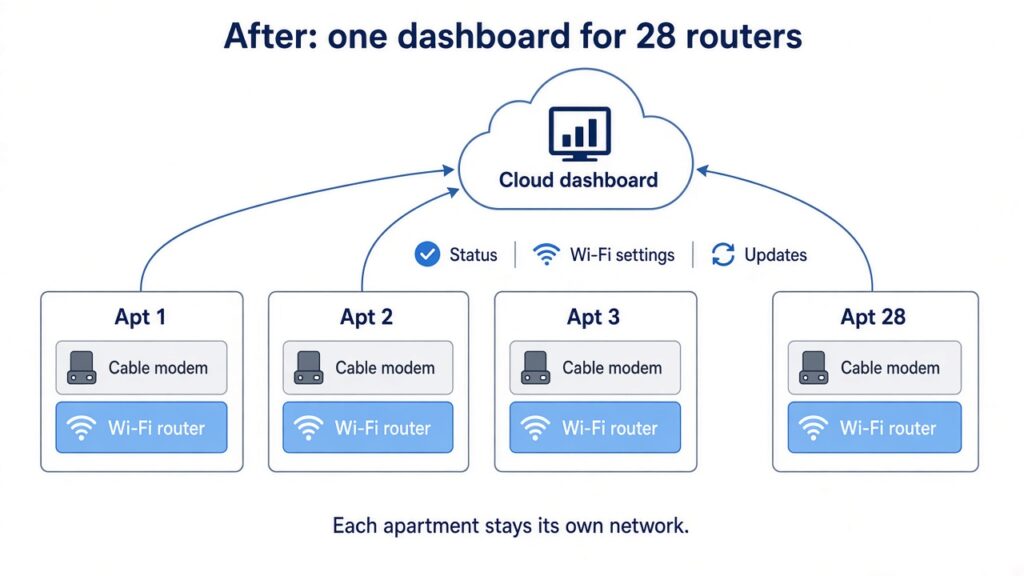
The replacement is still one Wi-Fi router per apartment, sitting behind that apartment’s modem. The difference is that all 28 check in to one cloud dashboard. The building stays 28 separate networks. Nothing in one unit can see another. What changes is the management: one pane of glass for status, Wi-Fi settings, and updates.
Option 1: TP-Link Omada
Each unit gets an Omada ER706W. It is a Wi-Fi 6 router and gateway in one box, sized for a single apartment. All 28 adopt to Omada Cloud Essentials, TP-Link’s free cloud controller. You do not buy a separate hardware controller for this. The small Omada controllers only manage about 10 gateways, and a controller in one apartment cannot see routers that live on other internet connections.
Hardware at street price is $129.99 per router, $3,639.72 for 28. If VeazeyTech supplies the gear, a 25% markup puts that at $162.49 per router, $4,549.65 for 28. The cloud controller is still $0.
Option 2: Ubiquiti UniFi
Each unit gets a UniFi Express 7. It is a compact Wi-Fi 7 gateway, and each one is its own small console. All 28 show up in UniFi Site Manager under one UI account. There is no license fee for that remote management. This is the path if the person running it already lives in UniFi.
Ubiquiti lists the Express 7 at $199, and the same store page shows $214 after a memory surcharge. Street price for 28 units is $5,572 to $5,992. If VeazeyTech supplies the gear, a 25% markup puts that at $6,965 to $7,490. Site Manager is still $0.
The older UniFi Express is sold out. The Dream Router 7 is a bigger, more expensive box, so it is not the fit here.
What it costs to have it installed
VeazeyTech’s rate is $140 an hour. A practical install is a few hours up front to build the cloud account, the standard Wi-Fi config, and the naming scheme, then a visit to each apartment to swap the router, point it at the modem, adopt it, and confirm Wi-Fi.
If the modem can hand the new router an address and the visit is straightforward, figure about 45 minutes per apartment plus about 4 hours of prep. That is roughly 25 hours, or about $3,500 in labor. If each cable modem has to be bridged so the new router holds the public address, and each visit needs a tenant window, plan closer to 75 or 90 minutes per unit. That pushes the job toward 40 to 46 hours, or about $5,600 to $6,440.
Either way the labor is similar for Omada and UniFi. The hardware is the gap. The markup above is on hardware only. Labor stays at $140 an hour either way.
Omada ER706W: street hardware $3,639.72, or $4,549.65 with a 25% VeazeyTech hardware markup. Cloud management $0. Install labor estimated $3,500 to $6,440. Rough project total about $8,050 to $10,990 if VeazeyTech supplies the routers, or about $7,100 to $10,100 at street hardware prices.
UniFi Express 7: street hardware $5,572 to $5,992, or $6,965 to $7,490 with a 25% VeazeyTech hardware markup. Cloud management $0. Install labor estimated $3,500 to $6,440. Rough project total about $10,500 to $13,900 if VeazeyTech supplies the routers, or about $9,100 to $12,400 at street hardware prices.
Prices are street prices as of September 30, 2026. Labor is an estimate, not a quote. A real quote depends on modem access, whether the ISP has to bridge each modem, and how the visits get scheduled.
The old Archer A54s will not pay for much of this. New ones sell around $35. A used one was offered on Amazon Resale at $22.80. Selling all 28 used might bring in a few hundred dollars.
One setup note for both options: if the cable modem is also acting as a router, the new router sits behind it and the apartment gets double NAT. Bridging the modem, so the apartment router holds the public address, is the clean version of this design.